Waking up to a Facebook Account Disabled message is truly a nightmare for advertisers and creators alike. In 2026, Meta’s security AI has become more aggressive, often flagging accounts for everything from linked Instagram violations to “unoriginal content” purges. If you’ve lost access to your profile, contacts, or business assets, don’t panic. This guide on Why is my Facebook disabled will break down the current 2026 policies and provide a verified roadmap to help you file an appeal and regain your digital identity.

Why Is My Facebook Disabled?
Facebook takes its Terms of Service seriously. If your account violates these guidelines, Facebook might disable it, notify you via email, and display a message when you attempt to log in. Based on 5 years of experience in managing Facebook ads. Here are some common reasons:
Impersonating a user profile
Facebook impersonation of another person is a major offense. Your profile runs the danger of being reported and having your account terminated should it include another person’s name, photos, or information.
Facebook first values user privacy and safety, acting quickly against impersonation, especially for unconfirmed accounts. Create profiles that reflect your identity to help you prevent this.
When designing fan pages for celebrities, treat others respectfully and avoid materials deemed derogatory or damaging.
Facebook sees impersonation as a violation of trust, so it may permanently disable your account, and you will have to start over with a new phone number and email address.
Play it safe and be yourself!
Using a fake name
Facebook takes great seriousness about using actual names. Forget aliases or false identities; your profile should show your actual legal name. Although little changes like substituting Tim for Timothy are okay, using an invented name is against Facebook rules and could have your account kicked off.

They view it as a violation of privacy, which makes it more difficult for real connections to find you. Should you have a fake name identified, you can request a review and show your identification to get access once again.
Still, frequent infractions can cause a permanent account deletion. To be sure you are following Facebook’s policies, always review their name standards.
Violating the Facebook Terms and Community Standards
Facebook is dedicated to providing its varied worldwide community a safe and friendly environment. Its rules and Community Standards guarantee user security and guard against offensive or inappropriate material.
Although certain infractions can cause automated content removal without punishment, repeated offenses could cause account warnings and perhaps permanent disablement.
Always acquaint yourself with Facebook’s Community Standards and try to post original, high-quality content that benefits the platform to stay out of hot water.
Emphasize changing things without using nasty or disrespectful content. Remember, even if someone reports it, material compliant with Facebook rules is less likely to be flagged or cause account sanctions.

Posting abusive and offensive comments
Facebook forbids rude and abusive material strictly. Starting with interim posting bans that can lead to months-long restrictions should you continue to break their standards, publishing nasty or improper remarks might find you in hot water.
Facebook aggressively looks for spam and abusive activity; multiple infractions could result in permanent account disablement.
Using awareness of your words and behavior on the platform will help you stay out of trouble. Engage politely, stay away from spam, and keep to meaningful dialogues.
Recall that Facebook hardly ever reverses such judgments, even though you can appeal a disabled account.
Play it cautiously, be polite, and keep your account open.

Doing suspicious activities
Facebook keeps a watchful eye on account activity, and erratic behavior can raise red flags.
Unusual location logging in, continuously changing your password, or accessing your account from several devices at once could set off security protocols and cause account disablement.
Consider it Facebook’s approach to shielding you from possible hackers. Likewise, too much activity – such as a torrent of friend requests, non-stop posting, or an excessive number of posts – may cause suspicion and lead to temporary or maybe permanent account limitations.
The secret is to keep up a regular use schedule and stay away from behavior that would seem to be malevolent or robotic.
Related Content: Facebook Page Disabled: How To Appeal And Fix The Issue
Being Underage
Facebook has a strict age requirement: you must be at least 13 years old to create an account. Users under eighteen cannot use all functionalities and suffer significant limitations. Facebook will promptly disable an account they find belongs to someone underage.

By reporting underage users to Facebook, worried parents assist in guaranteeing a safe environment for all. Rather than letting your child have unlimited access to Facebook, think about starting them with Messenger Kids.
Younger users find a safer, more regulated environment on this platform, which also provides age-appropriate tools for chatting, connecting, and gaming.
The “Linked Account” Trap
A major reason for disabled accounts today is a violation of a linked Instagram or WhatsApp account. Because of the “Accounts Center” integration, a ban on one platform often triggers a “shadow disable” on the other. Users must check their Meta Accounts Center settings to identify the source of the breach.
How Do I Know If My Facebook Ad Account Is Disabled?
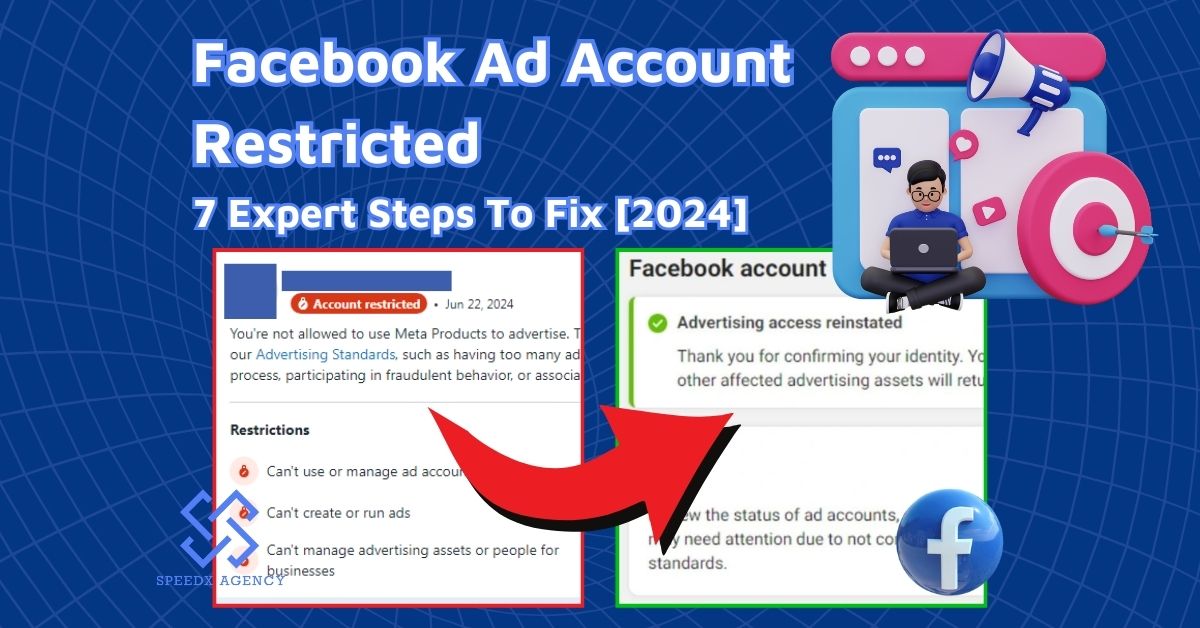
Facebook takes its Community Standards and Terms of Service seriously. Rule-breaking could result in account suspension. Should your account be suspended, you will be emailed and will get a message while trying to log in.
Facebook will inform you whether you may appeal the suspension. If so, turn in your appeal using the on-screen directions. Facebook may disable accounts for significant infractions without prior notice, though, and these accounts typically cannot be reinstated.
Related Article: Facebook Ad Account Disabled: Reasons And 5 Expert Methods To Fix
7 Proven Steps To Reinstate A Disabled Account
Facebook account been disabled? Don’t worry – you can try to recover it! Follow these steps to regain access to your profile.
Step 1: Head over to Facebook’s website (https://www.facebook.com) and log in using your username and password.

You can also use the “Identify” tool at facebook.com/login/identify to see if the account is disabled or just hacked.
Step 2: Visit the Facebook official investigation form to use the official My Personal Account was Disabled form. If you believe the problem exists, complete the form and send in a request for more inquiry.
Step 3: Fill out the form with your associated account details, using a valid email address or phone number that Facebook can use to contact you.

Step 4: In the Your Full Name field, enter the name you use on your Facebook account, whether it’s your legal name or not.
Step 5: To verify your identity, upload a clear photo of a valid ID. This could be your passport, driver’s license, or learner’s permit. Ensure your ID (Passport/Driver’s License) is high-resolution; AI scanners in 2026 will reject any blurry images automatically.
Step 6: In the Additional Info field at the bottom of the form, provide any extra information that might help Facebook understand your situation.
- Variations in legal and Facebook names.
- Someone may have hacked the Facebook account.
- Visual proof indicating incorrect usage of your account by someone else.
- In case you have been harassed.

Step 7: Once you’ve filled out the form, hit Send in the bottom-right corner. If Facebook approves your appeal, you’ll regain access to your account.
Important Note:
- Keep a close eye on your email inbox – Facebook will typically respond to your appeal within a day or two, letting you know their decision. Don’t miss out on important updates!
- In 2026, Meta strictly enforces a 180-day window for appeals. If you do not submit a review request within this timeframe, the account is permanently deleted and cannot be recovered by any human support agent.
- If you have another active account or can access Meta Business Suite, subscribing to Meta Verified provides access to direct chat support. This is currently the most effective way to speak to a human instead of relying on the automated appeal form, which often goes unanswered for weeks.
Conclusion
Recovering a disabled Facebook account in 2026 requires patience and a clear understanding of Meta’s new AI-driven enforcement. We hope that after reading this article on why is my Facebook disabled, by following the official appeal channels and ensuring your identity verification is flawless, you stand a much better chance of restoration.
Remember, the best defense is a good offense: always keep Two-Factor Authentication active and avoid using third-party “automation” or “growth” tools that violate current terms. Stay informed about platform changes and announcements by checking their Help Center and Our Blog. By being a responsible and informed user, you can ensure a smooth and enjoyable Facebook experience.